Access History
Who had SharePoint access, and when?
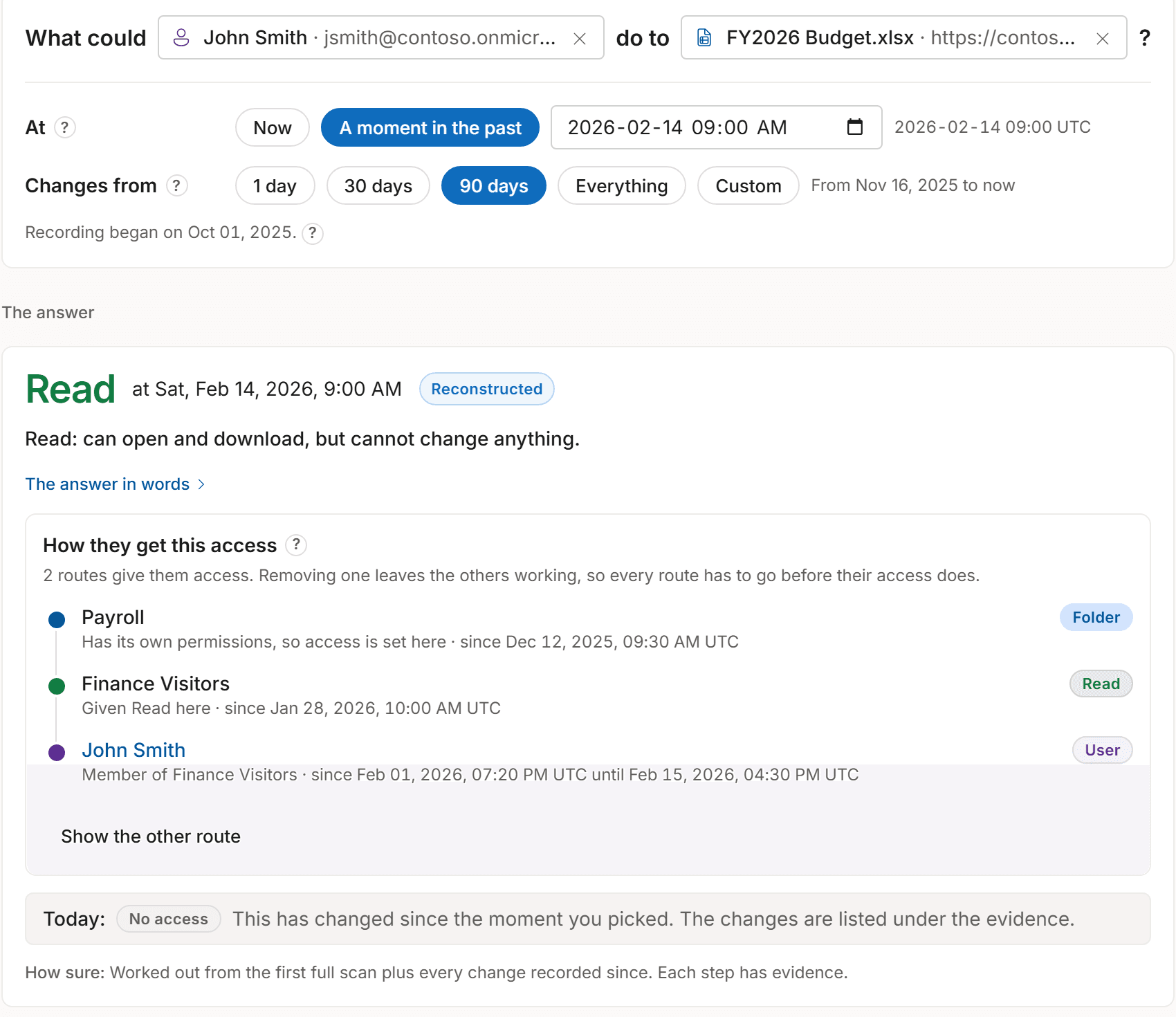
Who had SharePoint permission to access a file is not the same as who actually opened it. Access History shows who had access. To see who actually opened a file, check Microsoft 365 audit records such as FileAccessed while they are still available.
Check the answer
How to read an Access Witness answer
Reliable history starts with each site's first completed full scan. For earlier dates, the answer is Unknown, and older Microsoft 365 audit records may appear separately as evidence of a change. Every answer about the past has one of the four labels below. Read any warnings shown with it too. You can check past permissions years later, as long as Access Witness recorded that period and you still have the database.
- Verified snapshot
An answer supported by a recorded permission state and the changes available up to the requested date. Read any warnings too; this label does not guarantee that every permission or intervening change was captured.
- Reconstructed
Access Witness worked out the answer from recorded permissions and changes.
- Partial
Some records are available, but Access Witness cannot confirm every permission, group membership or change for that date.
- Unknown
There is not enough information to say what access existed on that date.
Microsoft 365 can take hours to report a change. Recent answers may be updated when those records arrive. If an answer is corrected, you can still see the earlier answer.
Access changes
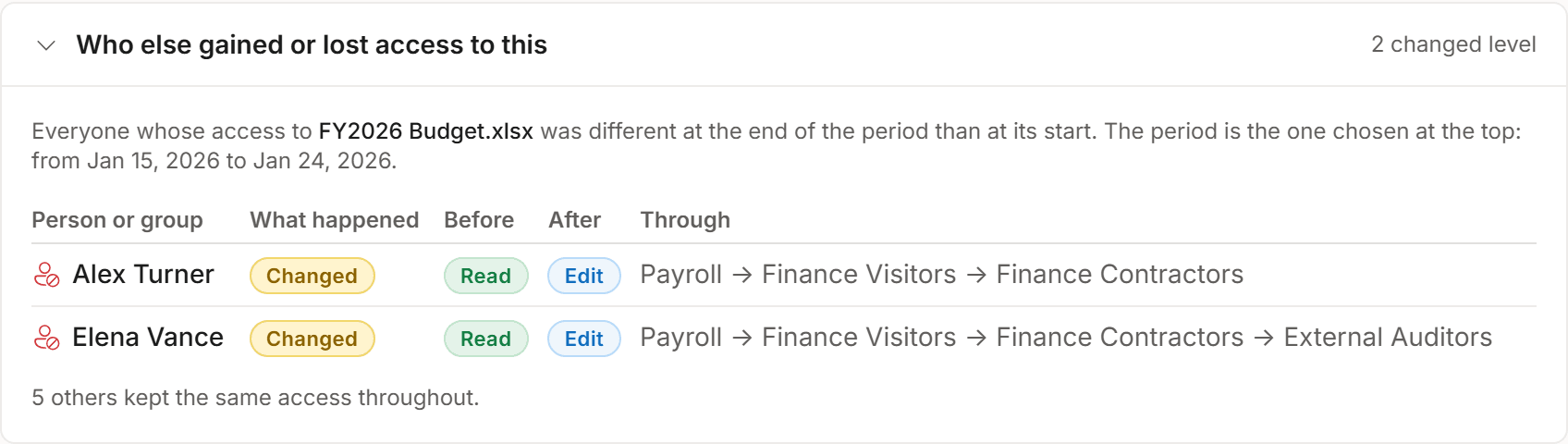
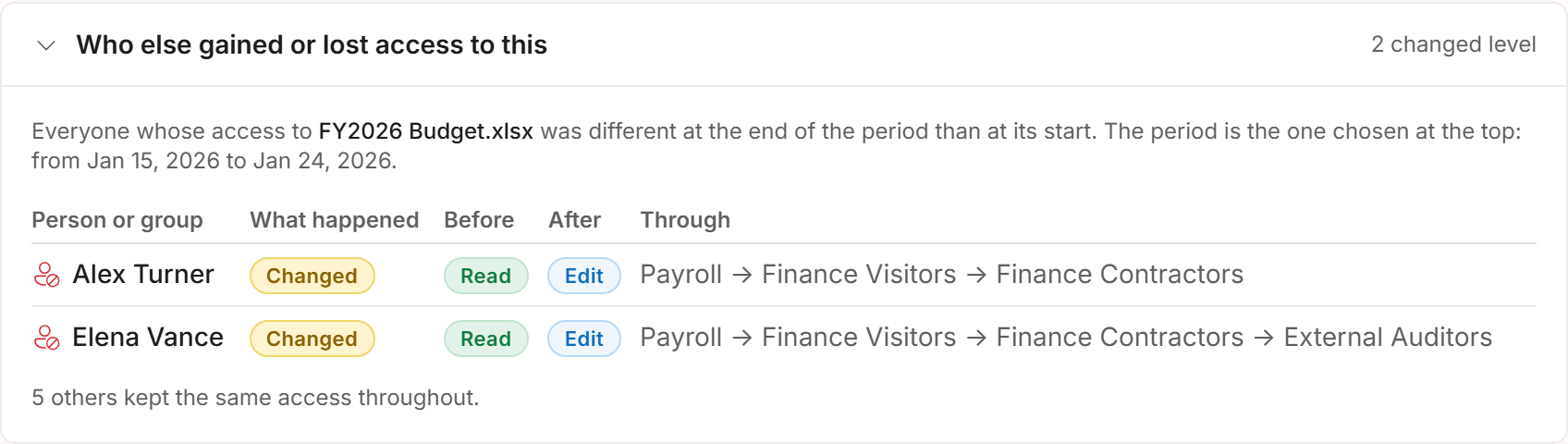
See who gained or lost access
Compare two dates to see who gained or lost SharePoint access, including access through groups.
Related changes
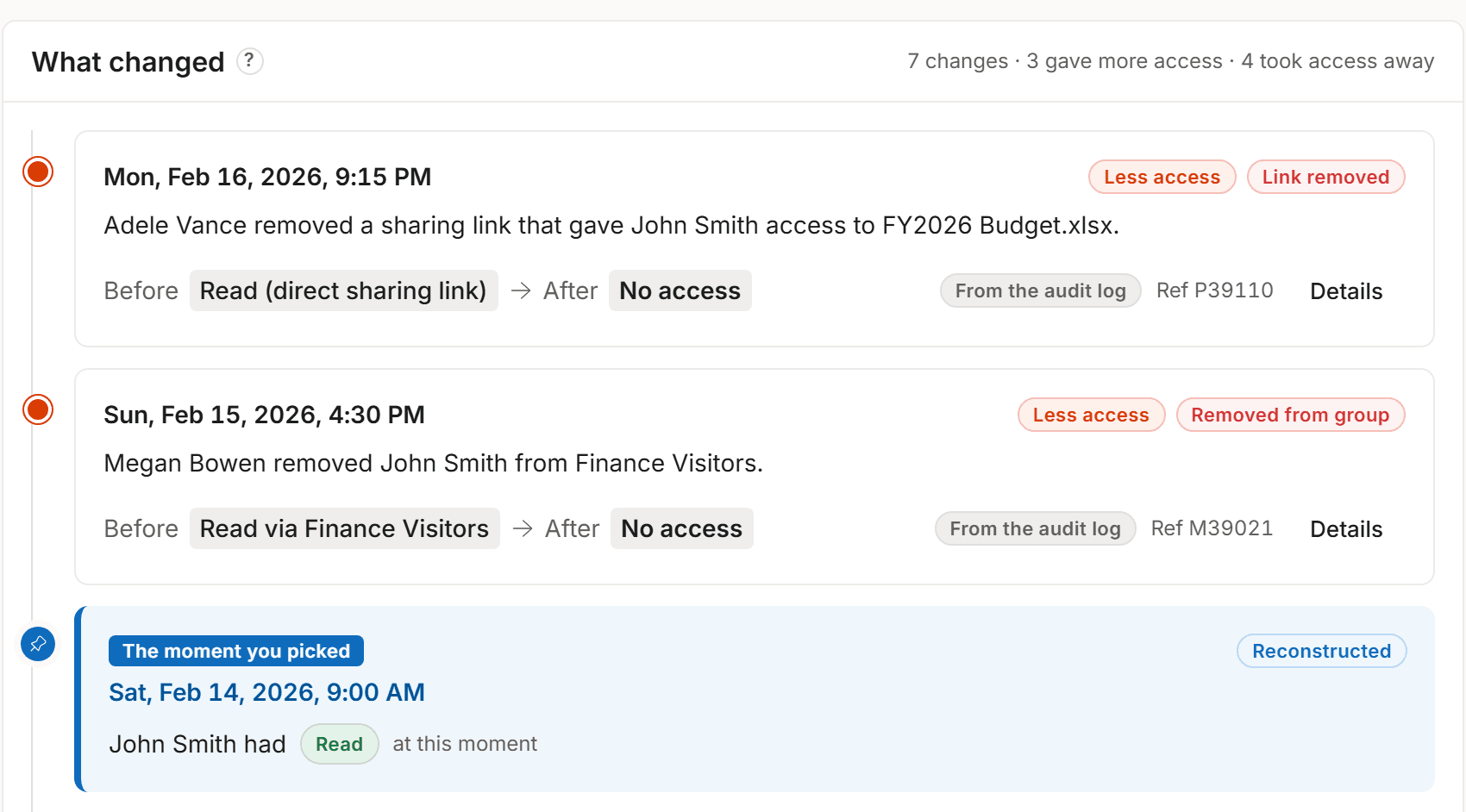
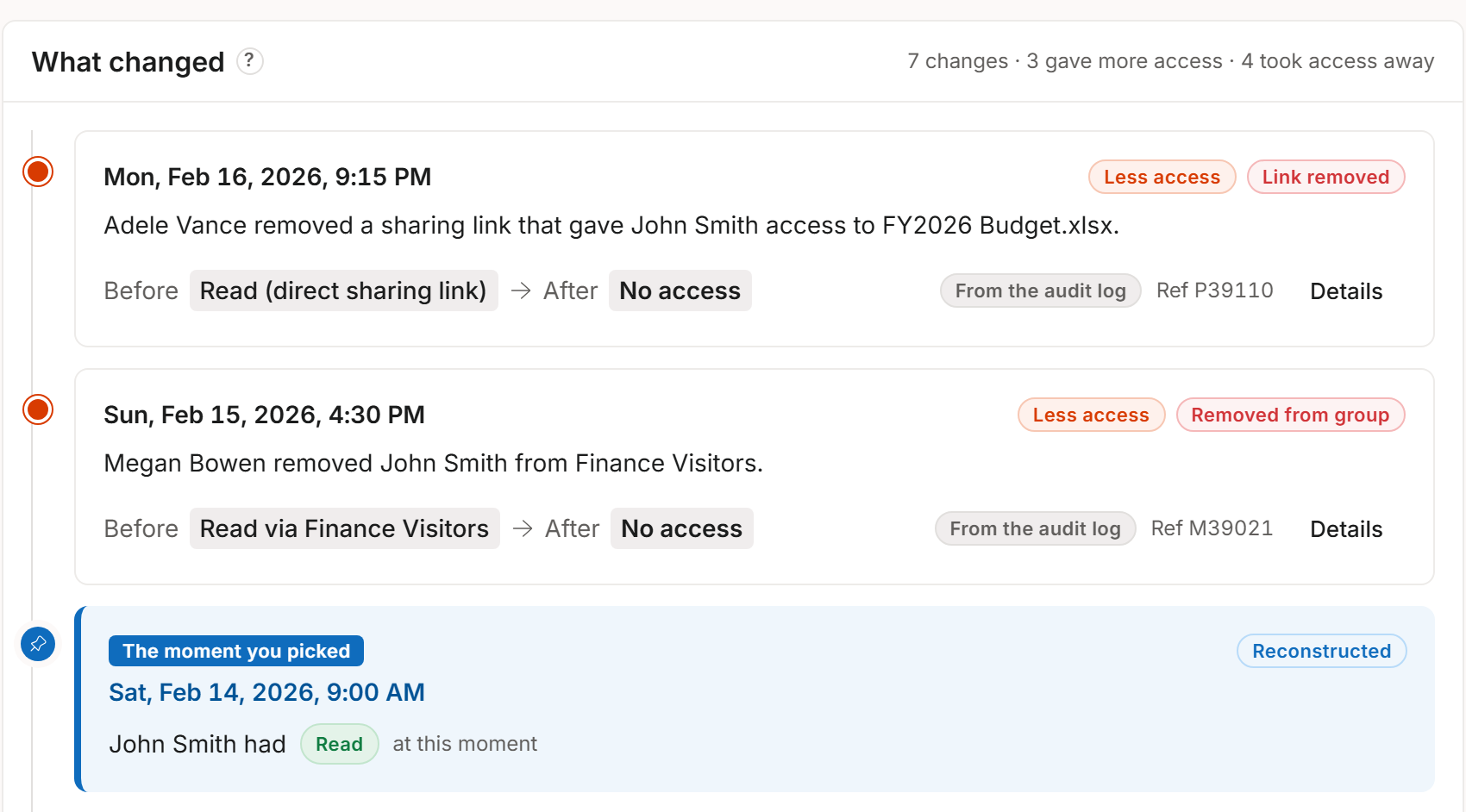
See the changes behind the answer
See the recorded changes linked to an access answer, including who made them when Microsoft 365 recorded their name.
Answer questions about past SharePoint access using recorded permissions.
Request a demo using sample Contoso data. Or try Access History in your own tenant with a free 15-day trial on up to 10 sites you choose.