Permission Structure
See exactly how access flows.
- /sites/Finance/Shared Documents/Payroll
- Unique permissions
- Groups inside groups
- 4 levels
- People with access
- 6 (2 external guests)
- Confidence
- Reconstructed
The picture
Multi-tier entitlement graph
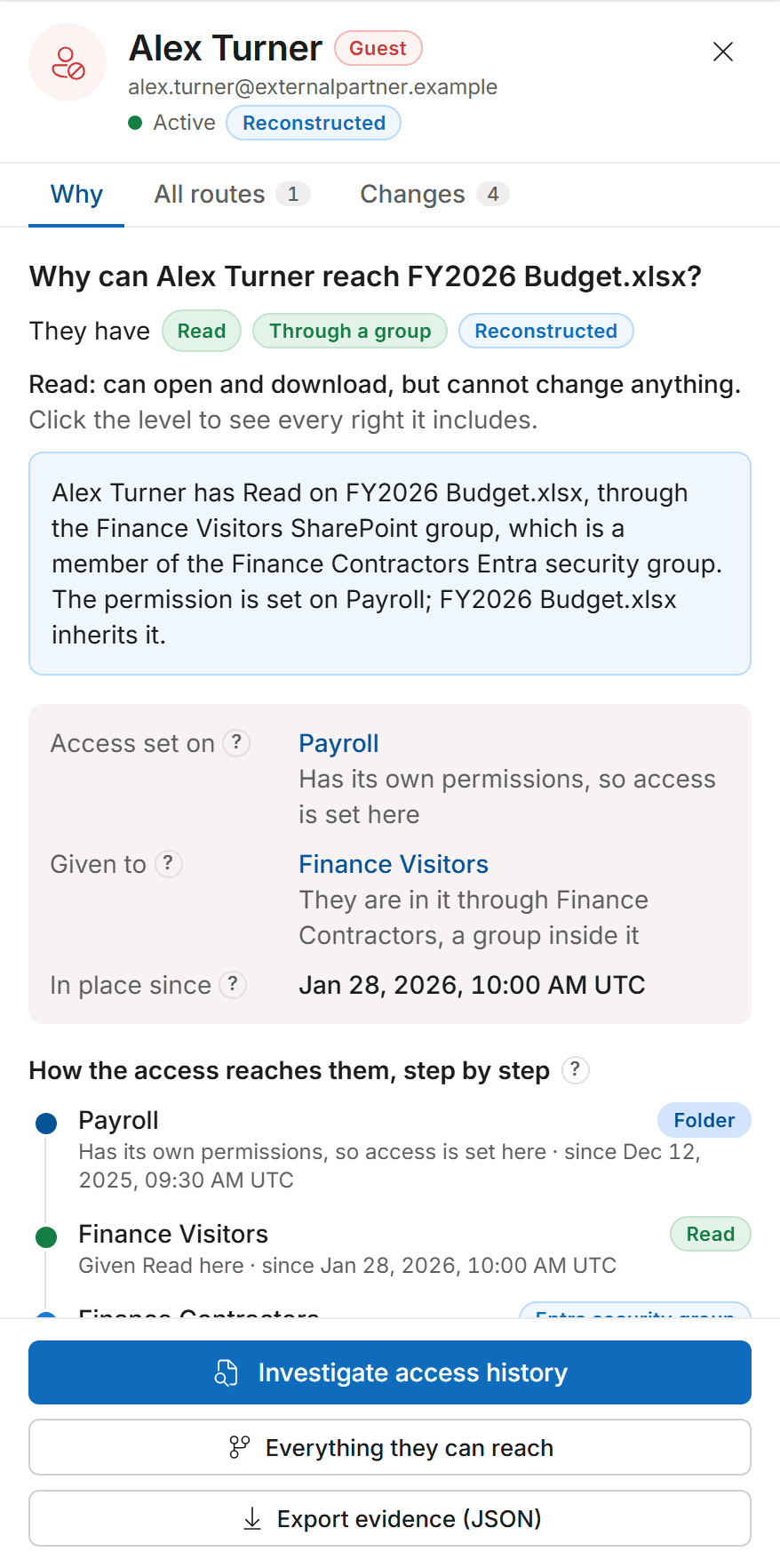
Trace how a user at the far right gains effective permissions on a sensitive resource at the far left. The selected path is dominant; unrelated branches fade but stay discoverable.
Explanation: Alex Turner holds Read on Payroll because the Entra ID group Finance Contractors is a member of the SharePoint group Finance Visitors, which has a Read role assignment on the Payroll folder (unique permissions since Dec 12, 2025).
Export path as JSONWhat it shows
Built for the way Microsoft 365 access really works
Microsoft's admin screens show one layer at a time when access runs through Entra ID groups, Microsoft 365 groups, Teams-connected sites and sharing links.
Inherited vs direct
Spot where inheritance was broken and by whom. Unique-permission boundaries and direct assignments are labeled, not just colored.Groups inside groups
Groups inside groups are opened up, however deep, and each step is shown, so you see every person and how they got there.External and guest identities
B2B guests, external users and sharing-link principals are flagged along the path so reviewers see the exposure, not just the role.Historical comparison
The same graph renders for any past instant, with confidence and coverage stated. To see what changed between two moments, compare them in Access History or in the Access Map's What changed tab.
Explainable
The same question, the same answer, every time
Every route is kept, and every step shows its evidence.
Historical comparison
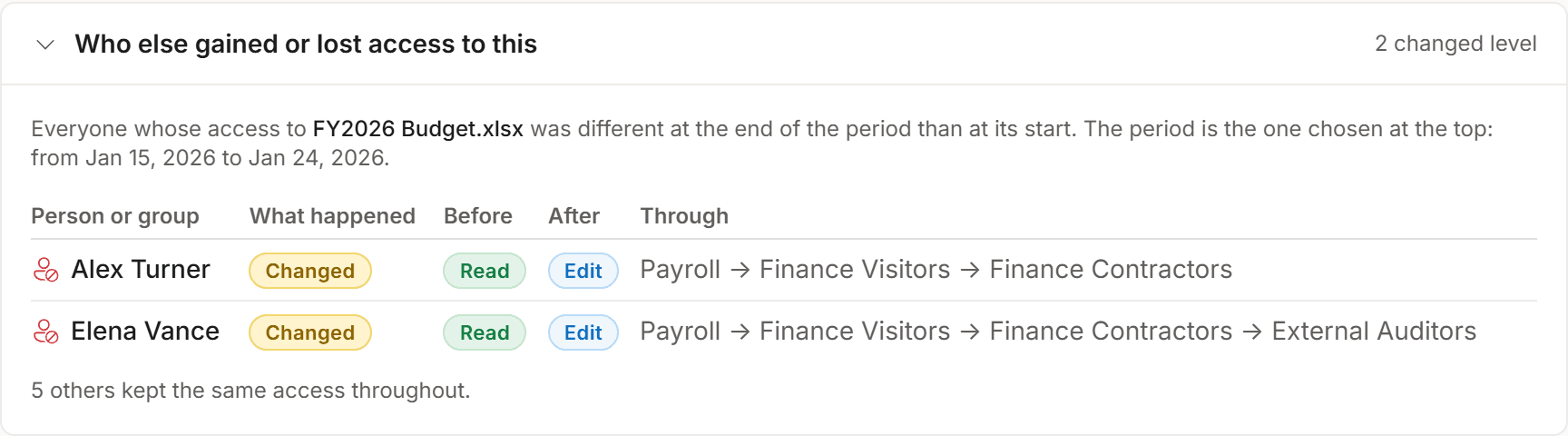
Who gained or lost access over a period
Investigate how access to an object changed over time: Access History compares the start and the end of a period for everyone who can reach it, person by person, with the route behind each change.
Comparisons run on your server, against your own database. Nothing leaves your environment to produce them.
Permission Structure
Ready to visualize your SharePoint entitlement graph?
See it on sample data in a demo, then on your own tenant during a 60-day evaluation. It only reads: it never changes permissions, sharing or content.
Never changes permissions, sharing or content. Runs on your servers.