Access Map
What can this person or group access?
The picture
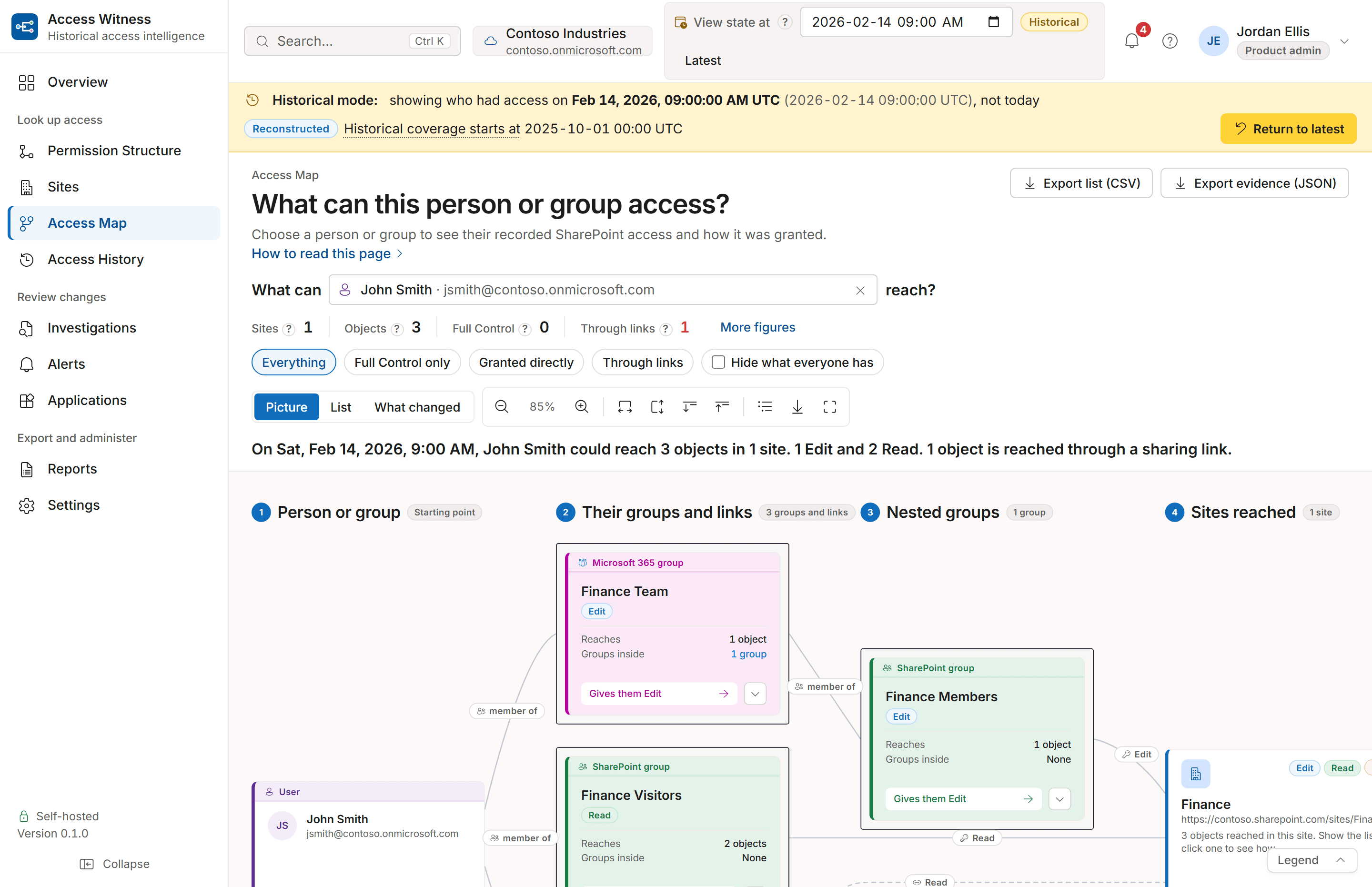
Follow access from a person
Choose a person or group to see where they have SharePoint access and how they got it. Use it to review a guest's access or check permissions before an employee leaves. It can also help when investigating a security incident.
The list
Review access in a table
The picture and table show the same access. Switch to the table to see each SharePoint item, its permission level and how the person got access. You can download the list for a review.

What does the map cover?
Access Map shows access within the SharePoint sites Access Witness has scanned. A site that has not been scanned is outside the map. This does not mean the person or group has no access there.
If a group cannot be checked fully, the Latest view shows a warning. For a past date, an answer may be marked Partial if some permissions or group memberships cannot be confirmed, or Unknown if there is not enough information to answer.
Two moments
See what changed between dates
Compare two dates to see which SharePoint permissions a person gained, lost or kept.

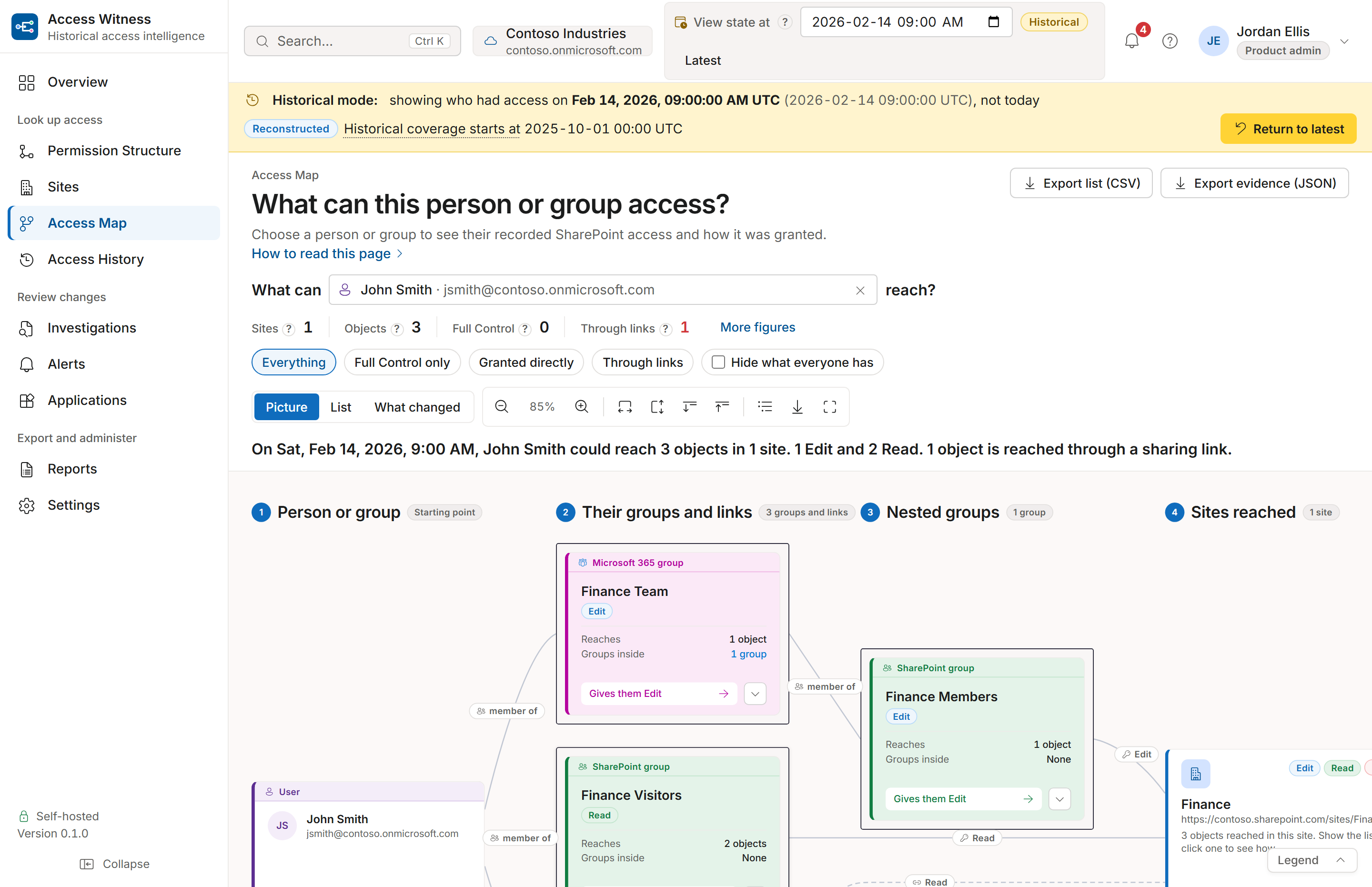


See Access Map in a demo.
Request a demo using sample data, or start a free 15-day trial on up to 10 sites you choose. To see who has access to a file, visit Permission Structure.
Never changes permissions, sharing or content. Runs on your servers.