Security
Your permission history stays with you.
Your SharePoint permission history stays in your SQL Server database. This page explains what Access Witness can read, what it stores, and what information it sends to our licensing service.
- Stays on your servers
- Your permission history
- Permissions, group memberships, sharing links and the recorded changes, in your own SQL Server database. We may receive diagnostic information if an administrator chooses to send it to support. More about where your data lives
- Sent for licensing and updates
- Installation and license information
- Your license key, installation ID, Microsoft 365 tenant ID, SharePoint address, product version and number of user accounts. More about what is sent for licensing and updates
- Microsoft 365 access
- Used only to read
- It never changes permissions, sharing or content. More about Microsoft 365 access
- Document content
- Not copied
- It records who can reach a file and how, not what the file says. More about document content
By area
Security and data handling
Where your data lives
- Access Witness stores the SharePoint permissions, group memberships, sharing links and changes it records in your own SQL Server database.
- You choose where your database runs, how it is backed up and who can access it.
- Access Witness does not delete your recorded permission history when it reaches a certain age. If your license ends, recording stops, but the history already in your database stays available to view.
Document content
- It does not copy the content of your documents. It records who can reach them and how, not what they say.
- File names and locations are kept because they are needed to explain access, and they stay in your database.
Microsoft 365 access
- In our testing, the SharePoint operations Access Witness uses to read permissions required a permission named Sites.FullControl.All. This permission could be used to change SharePoint data. Access Witness uses it to read access information and is designed not to change SharePoint permissions, sharing settings or content.
- An authorized Microsoft 365 administrator must approve access during setup. Setup tries to remove its temporary access when it finishes. If anything still needs attention, the installer explains what to do.
Sign-in
- Administrators sign in through your organization's Microsoft Entra ID. Access Witness has four product roles, from Product admin to Read only. No vendor account is required to use your Dashboard.
- Signing in lets the Dashboard identify you. It does not let the Dashboard create or change anything in Microsoft 365 on your behalf.
Credentials
- The credentials Access Witness uses to read Microsoft 365 are created on your server and stay there. We never receive them. Access Witness does not store passwords or private keys in its database.
Network
- Your server does not need to accept connections from the public internet. It connects to Microsoft 365 to read access information and to our service for licensing and updates.
What reaches us
- Routine licensing and update checks send NATHELVO the license key or signed lease, installation ID, Microsoft 365 tenant ID, tenant SharePoint address, installed component versions, total Licensed User count and, for update checks, the selected update channel. Our service also receives the network address used for the connection and keeps a keyed hash of it in the license audit log for up to 24 months, unless a legal, regulatory, dispute-related or other applicable preservation obligation requires longer retention. Update checks do not create that licensing audit-log hash.
- We use routine licensing information to identify the organization and installation, confirm license entitlements, prevent misuse and provide relevant updates. Routine checks do not send permission history, user or group lists, individual site addresses or audit records.
- We may receive diagnostic information if an administrator chooses to send it to support. A diagnostic package may contain people's names and sign-in addresses, SharePoint site and item addresses, and up to 500 recorded permission changes. Administrators choose whether to send it and should review its contents first.
Updates
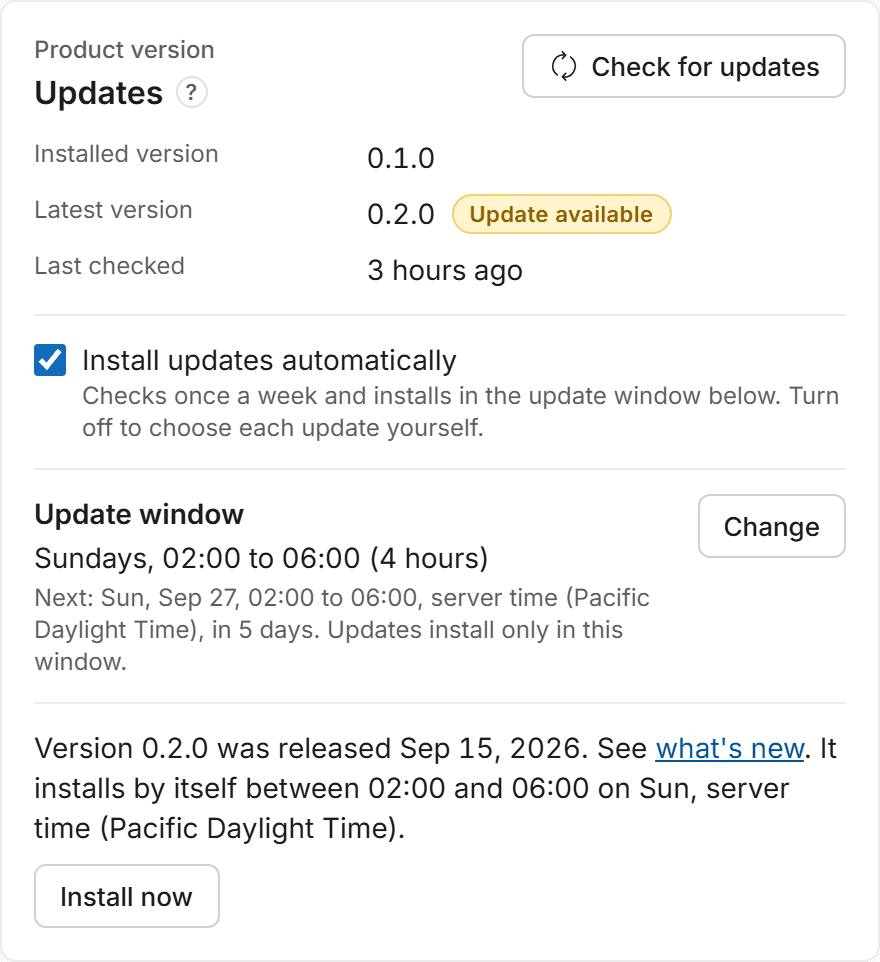
- Updates come with a digitally signed manifest, and each update package is checked against that manifest before installation. If an update fails its health checks, Access Witness tries to restore the previous version.
- Choose automatic updates during a weekly window you set, or have an administrator install each update. You can change this setting later.
Security certifications
- Access Witness does not currently hold any security certifications.
- If you need an answer that isn't on this page, ask us and we'll answer it in writing.
Have a security question?
Send us your security questions. We will answer in writing and explain any current limitations.